


 Updated
Choosing the best forex trading app in 2026 is not only about spreads or design.
The best trading apps combine reliable charting, practical order tools, account funding features, market research, and clear information on product availability and jurisdiction. For users where access to forex and CFD products may be subject to local regulatory restrictions, it is important to confirm whether the broker is authorised to serve clients in your country before using any trading app.
This comparison looks at seven widely known forex trading apps and focuses on the areas that usually matter most in day-to-day use: mobile experience, trading tools, market coverage, risk-management features, and overall convenience.
The goal is not to crown a one-size-fits-all winner, but to help you find the app that best fits your trading style and needs.
Key Points
- The best forex trading apps combine mobile usability, charting tools, order features, market research, alerts, funding options, and clear product information.
- Each app offers different strengths, from broad CFD market access and advanced charting to research tools, risk features, speed, or simpler mobile use.
- Users should check broker authorisation, product availability, fees, and CFD risks before using any forex trading app.
Best Forex Trading Apps at a Glance
| Broker | Best For | Standout Mobile App Features |
| Vantage | All-round mobile CFD trading | 1,000+ CFD markets, watchlists, alerts, news calendar, technical indicators, and integrated funding tools |
| AvaTrade | Risk-aware mobile trading | AvaProtect™, live feeds, social trends, clear charts, and multilingual support |
| IG | Advanced charting and market range | 17,000+ markets, 28 technical indicators, personalised watchlists, client sentiment, and price alerts |
| OctaFX | Simplicity and cross-device use | Trade-on-chart workflow, cross-device sync, price alerts, and quick deposits/withdrawals |
| FXTM | Research and account tools in one app | Tailored trading ideas, trending markets, live news, economic calendar, one-tap signals, and full account management |
| Pepperstone | Active traders who want speed and flexibility | 1,300+ CFD symbols, one-click trading, real-time position management, customised watchlists, and risk tools |
| Saxo Bank | Experienced traders and deeper analysis | 85+ indicators, advanced order types, smart order routing, price alerts, and detailed risk controls |
The summaries above are based on each broker’s official app or platform pages, accessed in May 2026. Product availability, pricing, and entity access can vary by jurisdiction, so readers should confirm the latest details before opening an account.
Is Forex Trading Legal?
Forex trading rules vary by country. In some regions, retail traders may access forex through regulated contracts for difference (CFD) brokers. In others, trading may be limited to exchange-listed currency products, locally licensed brokers, or specific approved platforms.
Before using any forex trading app, it is important to check whether the broker is authorised to offer services in your country, what products are available, and whether there are restrictions on payments, leverage, or offshore trading access.
For a fuller breakdown, readers can refer to our guide on whether forex trading is legal.
1. Vantage
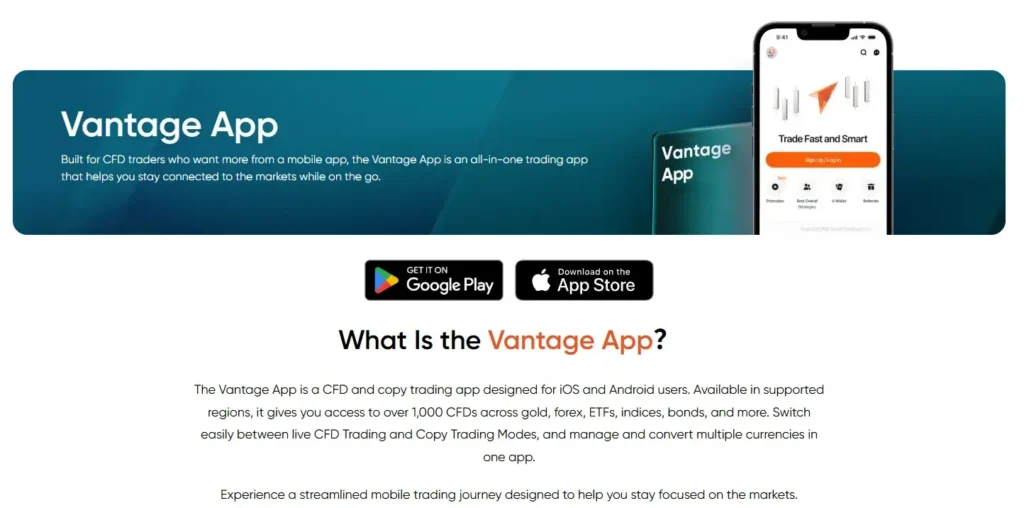
The Vantage App is designed for users looking for a dedicated mobile trading app rather than a basic order-entry tool, offering access to 1,000+ CFD markets alongside watchlists, alerts, a news calendar, customisable charts, technical indicators, and 10 timeframes in one interface.
For users comparing the forex trading app options, Vantage combines trading functionality with account management features designed for mobile use. Its user-friendly design supports a smoother experience across market analysis, trade execution, and account management, making it relevant for both newer and more experienced traders.
Vantage also offers multiple account types, including ECN and STP, which adds flexibility for different trading needs. Combined with its pricing structure and account features, the app may appeal to users who want a forex trading app that supports both active market access and cost considerations.
For those who want to explore the platform, Vantage offers both live and demo accounts alongside its mobile app, allowing users to familiarise themselves with the interface and features before trading.
2. AvaTrade
AvaTrade is a strong fit for traders who want a mobile-first experience with a clearer emphasis on risk management. Its app highlights AvaProtect™, a feature designed to provide a defined protection period on eligible trades (subject to specific conditions and fees), and also includes live feeds, social trends, intuitive management tools, and charting designed to work well on smaller screens.
Another reason AvaTrade remains popular is that the app is built to feel approachable without stripping away useful functionality. The broker also promotes multilingual service and support, which can matter for users who value responsive help alongside mobile trading tools.
3. IG
IG is one of the more feature-rich choices for traders who want broader market coverage and stronger charting on mobile. According to IG’s official app page, users can open and close positions across more than 17,000 markets, analyse charts with 28 technical indicators, access real-time prices, and use client sentiment data directly in the app.
The app also supports price alerts, an economic calendar, personalised watchlists, and a demo account, making it suitable for users who want more than just basic trade execution. For traders who prefer deeper analysis from a phone or tablet, IG is one of the more comprehensive names in this list.
4. OctaFX
OctaFX, now widely branded as Octa, is geared towards users who prefer a more straightforward workflow and streamlined experience. Its proprietary OctaTrader platform focuses on trade-on-chart execution, cross-device synchronisation, fast deposits and withdrawals, and price alerts and notifications, which can appeal to traders who want mobile convenience without too much complexity.
The platform also allows users to personalise the terminal and maintain continuity between desktop and mobile, which is useful if you switch devices during the trading day. For traders who value straightforward navigation and app-level convenience, OctaFX remains a platform to consider. Users should also check whether OctaFX (Octa) is authorised to operate in their jurisdiction, as regulatory status and product availability may vary by region.
5. FXTM
FXTM’s mobile app is one of the more research-heavy options in this group. The app includes tailored trading ideas, trending markets, live news, an economic calendar, trading signals, and full account management tools such as balance monitoring and deposits or withdrawals. FXTM also notes that trades placed in the app are linked to MetaTrader in the background, so users do not need to keep switching between platforms.
A more recent differentiator is FXTM’s stop-loss recommender, introduced in a Q1 2026 update. According to FXTM, this feature uses historical volatility to suggest a stop-loss level, which may be useful for traders who want additional structure around risk management.
6. Pepperstone
Pepperstone is a viable choice for active traders who want fast market access and a flexible trading setup across mobile, web, and third-party platforms. On its official pages, Pepperstone highlights more than 1,300 CFD symbols, one-click trading, live streaming prices, real-time position management, customised watchlists, public watchlists, and risk-management features.
That blend of speed, market depth, and trading controls makes Pepperstone especially relevant for traders who want a more active, execution-focused experience on mobile. Pepperstone also notes that a demo account is available with every live trading account.
7. Saxo Bank
Saxo Bank is typically better suited to more experienced or higher-volume traders who want deeper analysis and more advanced order functionality from mobile. SaxoTrader is designed to work across mobile, web, and desktop, with access to price alerts, smart order routing, advanced screeners, 85+ technical indicators, trade-from-chart functionality, and integrated trade signals.
Its risk controls also stand out. Saxo highlights tools such as trailing stops, stop-limit orders, account shield, margin alerts, and margin monitoring, which may appeal to users managing more complex positions across multiple markets.
Which is the Best Forex Trading App?
The most suitable forex trading app depends on several factors, including your location, trading experience, preferred markets, platform features, account type, and local product availability. Some traders may prioritise charting tools and execution features, while others may place more emphasis on mobile usability, funding options, research tools, or risk-management features.
Across this comparison, Vantage offers broad mobile CFD trading coverage, combining access to 1,000+ CFD markets, watchlists, alerts, technical indicators, charting tools, market updates, and account funding features in one app.
Before opening an account, users should review the broker entity, product availability, fees, platform terms, and local requirements that apply in their country. Traders interested in exploring the Vantage App can review available account types and platform features through the Vantage website.
FAQ
What are forex trading apps?
Forex trading apps are digital platforms designed to facilitate the buying and selling of foreign currencies. These apps enable traders to access the forex market from their mobile devices, providing tools and features such as real-time market data, advanced charting capabilities, and trade execution functionalities.
By offering a convenient and user-friendly interface, forex trading apps allow traders to monitor market conditions, execute trades, and manage their trading accounts on the go, making them an essential tool for both novice and experienced traders seeking flexibility and efficiency in their trading activities.
Can I trade all currency pairs on a forex trading app?
Most forex trading apps offer access to a wide range of currency pairs, including major, minor, and exotic pairs. However, the availability of specific currency pairs may vary depending on the app and the broker’s offerings.
Major pairs, such as EUR/USD and GBP/JPY, are typically available on most platforms, while some apps may also provide access to less commonly traded pairs. It is advisable to check the app’s features and trading instruments list to ensure it meets your specific trading needs and preferences.
Is mobile trading as reliable as desktop trading?
Mobile trading has become increasingly reliable due to advancements in technology, offering performance comparable to desktop trading. Modern forex trading apps are designed to provide real-time data, execute trades efficiently, and include robust security measures to protect user information and transactions.
While desktop trading platforms may offer more extensive features and a larger screen for in-depth analysis, mobile apps provide the advantage of accessibility and convenience, allowing traders to manage their accounts and execute trades from anywhere.
The choice between mobile and desktop trading often depends on individual preferences and trading needs.
Are forex trading apps legal?
Forex trading apps may be legal in many countries, but the rules differ by jurisdiction. Some countries allow retail forex or CFD trading through regulated brokers, while others restrict access to certain products, leverage levels, or offshore platforms.
Before using a forex trading app, users should check whether the broker is authorised to operate in their country and whether the products offered are available under local rules.
What to avoid when choosing a forex broker?
Before choosing a forex broker, check whether the broker provides clear information on its fees, spreads, account conditions, product availability, and regulatory status. These details can help users assess how transparent the broker is before opening an account.
It is also useful to review the broker’s trading platform, customer support options, funding methods, and risk-management tools. A platform that is difficult to use, unstable during active market periods, or unclear about key account terms may affect the overall trading experience.
Users should also consider reading independent reviews, checking the broker’s official website, and confirming whether the broker is authorised to offer services in their country. This can support a more informed comparison across different forex trading apps and brokers.
Risk Warning: CFDs are complex financial instruments and carry a high risk of losing money rapidly due to leverage. You should ensure you fully understand the risks involved and carefully consider whether you can afford to take the high risk of losing your money before trading.
Disclaimer: The information is provided for educational purposes only and doesn’t take into account your personal objectives, financial circumstances, or needs. It does not constitute investment advice. We encourage you to seek independent advice if necessary. No representation or warranty is given as to the accuracy or completeness of any information contained within. This material may contain historical or past performance figures and should not be relied on. Furthermore estimates, forward-looking statements, and forecasts cannot be guaranteed. The information on this site and the products and services offered are not intended for distribution to any person in any country or jurisdiction where such distribution or use would be contrary to local law or regulation. Features and product availability are based on publicly available information from official broker sources at the time of publication and may vary by jurisdiction.