


 Updated
The MQL5 Signals marketplace has listed over 3,200 active signal providers across both platforms1. For traders who want to copy trade without building a strategy from scratch, both platforms offer a structured path. But understanding how each trading platform works before you subscribe to anything can save you from costly surprises.
Both MT4 and MT5 support copy trading through the MetaTrader Signals ecosystem, a subscription-based service managed through the MQL5 community. Separately, some traders use dedicated trade copier tools, which are third-party software that mirrors positions between two MetaTrader terminals or accounts. Each approach has different setup requirements, cost structures, and execution characteristics.
This guide explains how copy trading works in MetaTrader 4 and 5, the key differences between MT4 and MT5 for copiers, and a step-by-step walkthrough from account setup to live monitoring—including a look at how broker-integrated copy trading compares.
Key Points
- MT4 and MT5 both support copy trading through the MetaTrader Signals service, a subscription-based ecosystem built into the platform via the MQL5 community.
- Signals subscriptions are platform-specific: An MT4 account can only subscribe to MT4 signals, and an MT5 account can only subscribe to MT5 signals2.
- MT4 remains widely used by forex-focused traders for its familiarity and existing Expert Advisors (EAs); MT5 offers broader asset coverage, more timeframes, and a larger signals library.
- Trade copier tools offer an alternative to MetaTrader Signals by mirroring positions between MT4 and MT5 accounts or terminals, but typically require additional software and configuration.
- Execution results for copiers may differ from signal provider results due to slippage, account size differences, lot scaling, latency, and timing of trade replication.
Does MetaTrader 4 and 5 Support Copy Trading?
Yes, both MetaTrader 4 and 5 platforms support copy trading through the MetaTrader Signals service. The Signals feature is built directly into the platform interface and connects to the MQL5 marketplace, where traders can browse, filter, and subscribe to signal providers.
Can You Copy Trade on MetaTrader 4?
Launched in 2005, MetaTrader 4 (MT4) remains one of the most widely used trading platforms in the world, particularly among forex traders. As of 2026, MT4 also supports copy trading through the MetaTrader Signals service. Subscribers can:
- Browse signal providers directly from the Signals tab in the MT4 platform
- Review historical performance metrics
- Subscribe with a monthly fee paid through an MQL5 account
A practical constraint: MT4 signal subscriptions are exclusive to MT4 accounts. You can’t link an MT4 account to a signal provider who trades on MT5 as the platforms operate as separate ecosystems within the MQL5 marketplace. But there is a workaround for it—keep scrolling to copy trades between MT4 and MT5 seamlessly.
Does MetaTrader 5 Support Copy Trading?
Released in 2010 as a multi-asset successor to MT4, MetaTrader 5 (MT5) supports the same MetaTrader Signals framework but with a broader library—over 3,200 signals across both platforms, spanning forex, commodities, indices, and CFDs, reflecting its wider asset coverage.
MT5 also carries additional analytical tools—21 timeframes versus MT4’s nine, a built-in economic calendar, and a depth-of-market (DoM) view—which can be useful when evaluating a signal provider’s trading environment. Beyond Signals, MT5’s Expert Advisor (EA) infrastructure is also used to facilitate trade copying between accounts via custom scripts.
How Does Copy Trading Work in MetaTrader 4 & 5?
The mechanics of copy trading in MetaTrader 4 and 5 follow a provider-subscriber model. Understanding the structure, including its limitations, is essential before committing capital as a copy trader.
The Signal Provider and Copier Model in MT4/5
A signal provider is a trader who registers on the MQL5 marketplace, connects a live trading account, and makes their activity available to subscribers. What’s visible on the provider’s public profile:
- Performance history
- Drawdown figures
- Reliability score
- Subscription fee
As a subscriber, you pay a monthly fee (free signals also exist) and link your MT4 or MT5 account to the provider. When the provider opens, modifies, or closes a position, those actions are transmitted to your account and replicated automatically, without any manual input on your part during execution.

Image credit: MQL5.com dashboard
Automatic Execution and Account-Level Copying
Copied trades are replicated automatically on the subscriber’s account. The platform scales position sizes proportionally based on the ratio of the copier’s account balance to the provider’s balance, though followers can configure this manually.
The key risk to understand: Your results will not be identical to the signal provider’s due to factors that affect the price at which your copied trade is filled, such as:
MetaTrader also requires the platform to be running—or connected to a Virtual Private Server (VPS)—for trades to be copied continuously. If your platform is offline when the provider enters or exits a trade, that position may not be replicated in your account.
Native MetaTrader Signals vs. Trade Copiers
The MetaTrader Signals service is built into the platform and accessed directly through the MQL5 ecosystem. It’s the most straightforward path for most retail traders. Trade copiers are a separate category entirely.
| Feature | MetaTrader Signals | Trade Copier Tools |
| Access | Built into MT4/MT5 via the MQL5 marketplace | Separate software or EA installed on the platform |
| Setup complexity | Relatively accessible as copy traders subscribe from within the platform | Requires software configuration and account linking |
| Use case | Copying external signal providers | Mirroring between your own accounts or between a master and follower account |
| Cost structure | Monthly subscription per provider (free options available) | Depends on the individual copier software |
| Platform compatibility | MT4 signals for MT4 accounts; MT5 signals for MT5 accounts only | Can bridge MT4-to-MT4, MT5-to-MT5, or MT4-to-MT5, depending on the tool |
| Provider marketplace | Yes, 3,200+ providers on MQL5 | No marketplace; you specify the source account manually |
Table 1: Key differences of MetaTrader Signals vs. trade copier tools
MT4 vs. MT5 for Copy Trading: What’s the Difference?
Both platforms access the same MetaTrader Signals infrastructure, but there are meaningful practical differences for copy traders in how each platform is set up and what providers are available.
MT4 for Copy Trading
MT4’s Signals marketplace is well-established and continues to attract providers who trade exclusively in forex.
For traders who are primarily focused on currency pairs and want a familiar, stable environment, MT4 remains a widely supported option. The trade-off is a smaller Signals library relative to MT5, and the 9-timeframes limit which can restrict analysis of some provider strategies.
MT5 for Copy Trading
MT5’s signal library is broader, reflecting the platform’s multi-asset design.
If you’re interested in copying providers who trade commodities, indices, or share CFDs alongside forex, MT5 could be your go-to platform. MT5 also includes a built-in economic calendar and depth-of-market (DoM) view, which might come in useful when reviewing a signal provider’s trade history against market events.
Which One Is Better for Copy Traders?
Neither the MetaTrader 4 or 5 platform is universally better as the right choice depends on your priorities as a copier. Below, we list out the key considerations when evaluating which platform would be better for you as a copy trader:
| Consideration | MT4 | MT5 |
| Primary market focus | Forex | Multi-asset—forex, commodities, indices, share CFDs & more |
| Signal library | Established, forex-centric | Broader, reflecting multi-asset coverage |
| Timeframes available | 9 | 21 |
| Built-in economic calendar | No | Yes |
| Signal compatibility | MT4 signals only | MT5 signals only |
| EA and automation support | MQL4: Large existing library | MQL5: More powerful but smaller legacy library |
| Best suited for | Traders familiar with MT4 environment and forex-focused strategies | Traders wanting broader asset access or newer platform functionality |
Table 2: MT4 vs MT5 for copy trading
The bottom line:
- Choose MT4 if your preferred providers trade there and you’re looking for a forex-centric environment.
- Choose MT5 if you want broader asset access and a larger signals pool.
Whichever MetaTrader platform that you ultimately decide to go with, just remember that you can’t copy an MT5 provider with an MT4 account as the platforms don’t cross over—unless you use a third-party trade copier tool (like an EA).
How to Get Started With Copy Trading in MetaTrader 4 and 5
To begin copy trading with MetaTrader, the following steps work for both MT4 or MT5.
Step 1: Choose Whether You Want to Use MetaTrader Signals or a Trade Copier
Before copy trading in MetaTrader 4 and 5, decide if you want to use MetaTrader Signals or a trade copier:
- MetaTrader Signals is the most direct path for most retail traders, as you can browse signal providers inside the platform then subscribe and copy automatically.
- A trade copier is the better option if you’re mirroring between your own accounts. For example, from a strategy account to a funded account or if you need MT4-to-MT5 bridging.
Pro Tip: If you’re new to copy trading, it might be more straightforward to start with MetaTrader Signals.
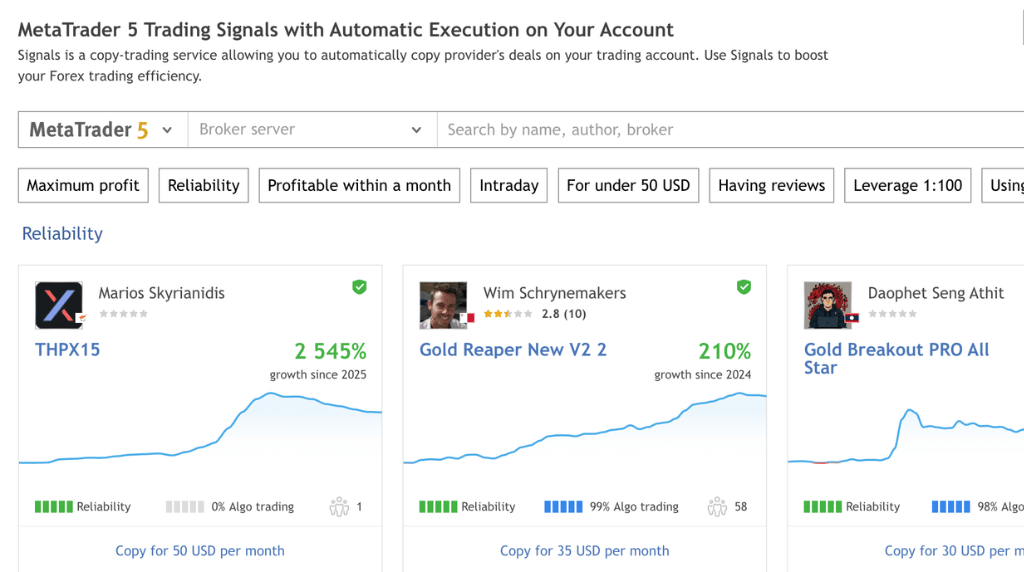
Image credit: MQL5.com
Step 2: Open and Fund Your Trading Account
You will need a live, funded account as MetaTrader Signals doesn’t support demo account copying in the same way as live accounts do.
- Choose your preferred platform (MT4 or MT5) and select a broker that supports it.
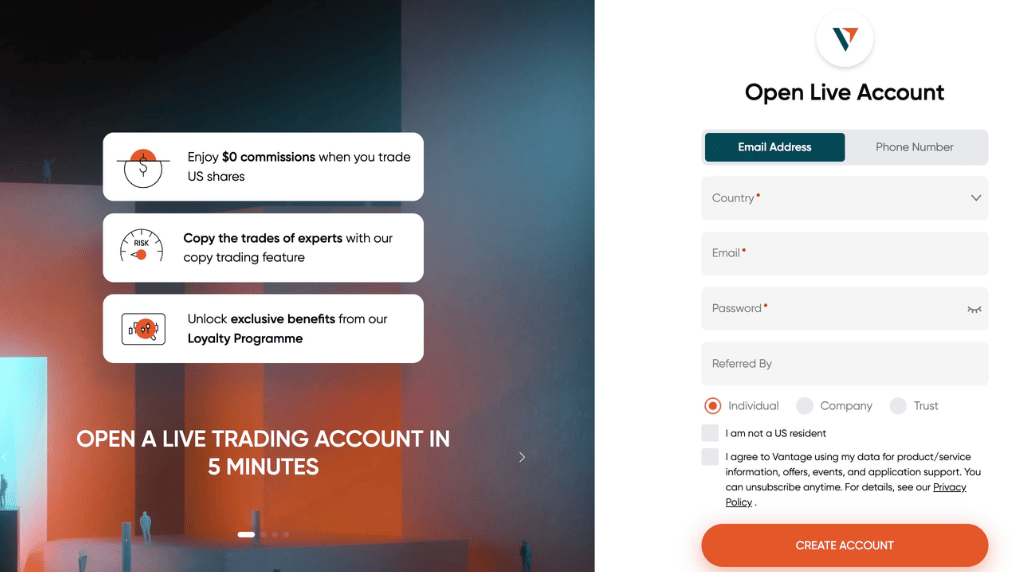
- Create a live trading account with the broker and complete the identity verification process.
- Fund your account before proceeding to the next step.
Step 3: Set Up Your MetaTrader Platform
Both the MetaTrader 4 and 5 platforms are free to install on your device and available on Windows, macOS, and Linux.
- Download MT4 or MT5 from your broker’s website or directly from MetaQuotes.
- Run the setup on your device and follow the on-screen instructions
- Once done, click ‘Finish’ to complete the software installation.
Pro Tip: If you want uninterrupted signal copying, consider connecting to a Virtual Private Server (VPS) so trades replicate even when your device is offline.

Step 4: Browse and Evaluate Signal Providers in MetaTrader
When evaluating lead traders to follow on MetaTrader 4 and 5, look beyond the headline return figure because copy trading signal provider selection should be based on consistency over time, not recent performance alone.
- Performance History: Look for multi-month or multi-year track records, not just the past four weeks.
- Maximum Drawdown: A strategy with a 60% peak-to-trough drawdown requires a 150% gain just to recover.
- Reliability Score: The MQL5 Reliability score is a risk-evaluation metric based on factors like trading activity, win percentage, and last month’s growth3.
- Trading Style and Instruments: Review which instruments the signal provider trades and that their average holding time fits your risk tolerance.
- Subscriber Count: A growing subscriber base isn’t necessarily a quality signal as it reflects visibility, not performance. Focus on the metrics, not the social proof.
Related Article: How to Choose Your Signal Provider for Copy Trading
To select a signal provider for copy trading in MetaTrader 4 and 5:
- Open the ‘Signals’ tab in the platform (or browse mql5.com).
- Filter by platform (MT4 or MT5).
- Search for your broker server—for example, type ‘Vantage’.
- Filter by your preferred metrics such as “Maximum profit”, “Max. Drawdown”, “Profit Trades”, and more.

Image credit: MQL5 Dashboard
Step 5: Subscribe to a Signal or Connect Your Trade Copier
To subscribe to a signal provider when copy trading in MetaTrader 4 or 5, here are two ways to do so:
- For MetaTrader Signals: Click ‘Subscribe’ on the provider’s profile page inside the platform. You’ll need an MQL5.com account (free to register) and a payment method for paid signals. Once the subscription activates, copying begins automatically.
- For a Trade Copier: Follow the setup instructions for your chosen software. Most tools require you to designate a master account (the source) and one or more follower accounts (the destinations), and to configure lot sizing, symbol mapping, and connection credentials.
Step 6: Configure Your Copy Trading Settings
Next, review the key settings available in the MetaTrader panel: Tools → Options → Signals.
Take note of the following before you begin copy trading in MetaTrader 4 and 5:
- Capital Allocation: Define what percentage of your account balance participates in copying with the “Load/Use Percentage” feature.
- Lot Scaling: MetaTrader Signals natively copies trades proportionally, calculated automatically using your balance-to-provider ratio. If you require a strict fixed lot size on every trade, consider using a third-party trade copier instead.
- Equity Threshold: Set a minimum equity threshold that stops copying automatically if your account balance drops to a defined level.
- Maximum Deviation: Specify the maximum acceptable slippage on copied orders. Setting this too tight can result in trades not being copied in fast-moving markets.
Step 7: Monitor Your Copied Trades and Adjust When Needed
Copy trading is not a fully hands-off trading strategy. Once copying is active, it’s best to check in regularly:
- Review whether the provider’s current drawdown matches the historical profile you evaluated before subscribing.
- Watch for strategy drift as MetaTrader signal providers can sometimes shift to different instruments, higher leverage, or more frequent trading without communicating the change.
- Compare your fill prices against the provider’s reported entries to quantify the execution gap you’re actually experiencing.
- If a provider’s risk profile or trading behaviour changes materially, unsubscribe rather than wait for the strategy to recover.
Want to learn how to improve your copy trading results? Check out our guide on the 9 do’s and don’ts.
Step 8: Consider Whether a Broker-Integrated Alternative May Be Simpler
MetaTrader Signals works, but it requires an MQL5 account, a VPS for uninterrupted copying, and manual platform configuration. Some traders find that a broker-native copy trading environment removes this friction entirely.
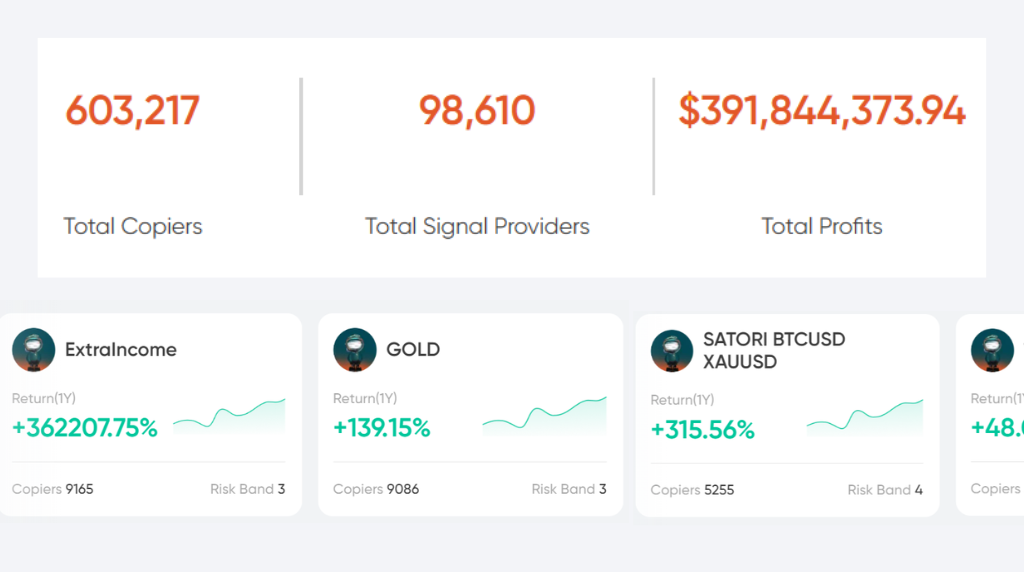
Vantage offers its own copy trading platform, separate from MetaTrader Signals. Directly integrated into the Vantage App and Client Portal, you can browse Vantage Signal Providers, review drawdown and performance metrics, and set your copying parameters without leaving the Vantage platform. Most conveniently, your existing MT4 or MT5 account can be linked to execute trades, so you don’t need to choose between the two platforms.
As of 2026, Vantage reported cumulative realised gains of over $300 million across participating Signal Providers and Copiers. Take note that individual outcomes vary significantly depending on strategy selection, market conditions, account size, and risk exposure. In addition, past performance is not a reliable indicator of future results.
Learn more about Vantage Copy Trading and its available features today.
Copy Trading in MetaTrader 4 and 5 Starts With Your Preferences
As you’ve learnt by now, both MT4 and MT5 offer a functional copy trading path through the MetaTrader Signals service.
MT4 is a popular option amongst traders who are looking for a forex-focused environment with an established signals library. Meanwhile, MT5 offers broader asset access and more analytical tools to evaluate signal providers. Neither choice is wrong, as the right one depends on where your preferred signal providers operate and which platform fits your existing workflow.
Regardless of platform choice, copy traders often review factors such as provider consistency, drawdown profile, allocation size, and ongoing performance monitoring rather than treating copying as a fully passive activity.
Frequently Asked Questions
Does MT4 and MT5 offer copy trading?
Yes, both MT4 and MT5 support copy trading through the MetaTrader Signals service, accessible directly within the platform via the MQL5 marketplace. Subscribers can browse signal providers, review performance history and drawdown data, and subscribe with a monthly fee. Take note that subscriptions are platform-specific: An MT4 account can only copy MT4 providers, and an MT5 account can only copy MT5 providers. Free signal options are also available alongside paid subscriptions.
Is MT4 or MT5 better for copy trading?
It depends on what you trade and which platform your preferred signal providers use. MT4 is well-known for forex copy trading and has a large, familiar signals library. MT5 supports broader asset classes — including commodities, indices, and share CFDs—and gives access to a wider range of signal providers.
If your focus is primarily forex and you’re comfortable in the MT4 environment, MT4 may still meet your copy trading requirements. But if you want multi-asset exposure or additional analytical tools such as the built-in economic calendar, consider the MT5 platform for copy trading instead.
Does Vantage offer copy trading?
Yes. Vantage offers its own copy trading platform, integrated directly into the Vantage App and Client Portal—separate from MetaTrader Signals. Copiers can browse Signal Providers, review performance metrics and risk indicators, and choose from different copy modes. Your existing MT4 or MT5 account can also be linked to your Vantage Account to execute copied trades.
While Vantage does not charge management or subscription fees for copy trading, standard trading costs such as spreads and swaps apply to all copied positions on applicable account types. Learn more about Vantage copy trading and its available features now.
Should I use MetaTrader copy trading or Vantage Copy Trading?
MetaTrader Signals gives you access to a large open marketplace of third-party providers and works directly within the MT4 or MT5 interface. It requires an MQL5 account, a VPS for continuous copying, and manual configuration of copying parameters.
Meanwhile, the Vantage Copy Trading platform is broker-integrated, managed through the Vantage App, and links directly to your MT4 or MT5 account—removing the need for a separate MQL5 account or VPS setup. You also have access to trading tools like Vantage’s Economic Calendar and Client Sentiment for added insights.
At the end of the day, the decision depends on whether you want access to the open MQL5 marketplace or a more streamlined, fully integrated experience within a single platform like Vantage Copy Trading.
References
1. “MetaTrader 5 Trading Signals with Automatic Execution on Your Account – MQL5” https://www.mql5.com/en/signals. Accessed on 11 May 2026.
2. “Rules of Using the Signals Service – MQL5” https://www.mql5.com/en/signals/rules#part_IV. Accessed on 11 May 2026.
3. “MetaTrader 5 Trading Signals Redefined – MQL5” https://www.mql5.com/en/forum/217691. Accessed on 11 May 2026.
RISK WARNING: CFDs are complex financial instruments and carry a high risk of losing money rapidly due to leverage. You should ensure you fully understand the risks involved and carefully consider whether you can afford to take the high risk of losing your money before trading.
Disclaimer: The information is provided for educational purposes only and doesn’t take into account your personal objectives, financial circumstances, or needs. It does not constitute investment advice. We encourage you to seek independent advice if necessary. The information has not been prepared in accordance with legal requirements designed to promote the independence of investment research. No representation or warranty is given as to the accuracy or completeness of any information contained within. This material may contain historical or past performance figures and should not be relied on. Furthermore estimates, forward-looking statements, and forecasts cannot be guaranteed. The information on this site and the products and services offered are not intended for distribution to any person in any country or jurisdiction where such distribution or use would be contrary to local law or regulation.